Connect
Point Migravo at the source — an IMAP server, a Google Workspace domain or a Microsoft 365 tenant — and at the destination tenant. Discovery lists the mailboxes for you.
Migravo · by Steaan
Migravo migrates mail and calendars from IMAP, Google Workspace or another Microsoft 365 tenant — with original dates, folder structure and attachments intact.
No credit card required · Credits never expire
Point Migravo at the source — an IMAP server, a Google Workspace domain or a Microsoft 365 tenant — and at the destination tenant. Discovery lists the mailboxes for you.
Folders are matched automatically, or mirrored one to one. Choose a date range, skip duplicates, and start one mailbox or fifty at once.
Live progress per mailbox, searchable logs, automatic retries on rate limits, and resume from checkpoint if anything is interrupted.
The interface you'll actually work in — no training course required. Connect, start, and watch the progress tick to 100%.
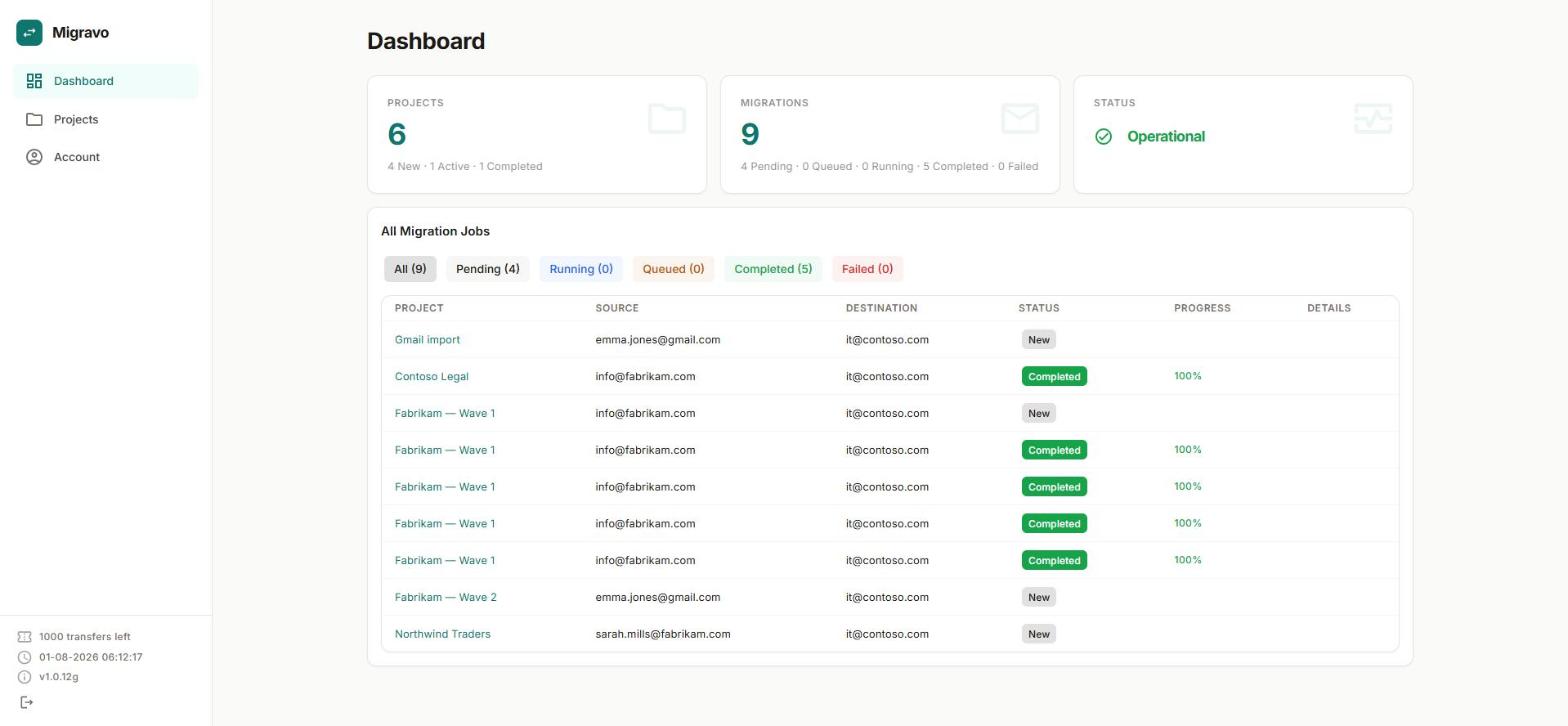
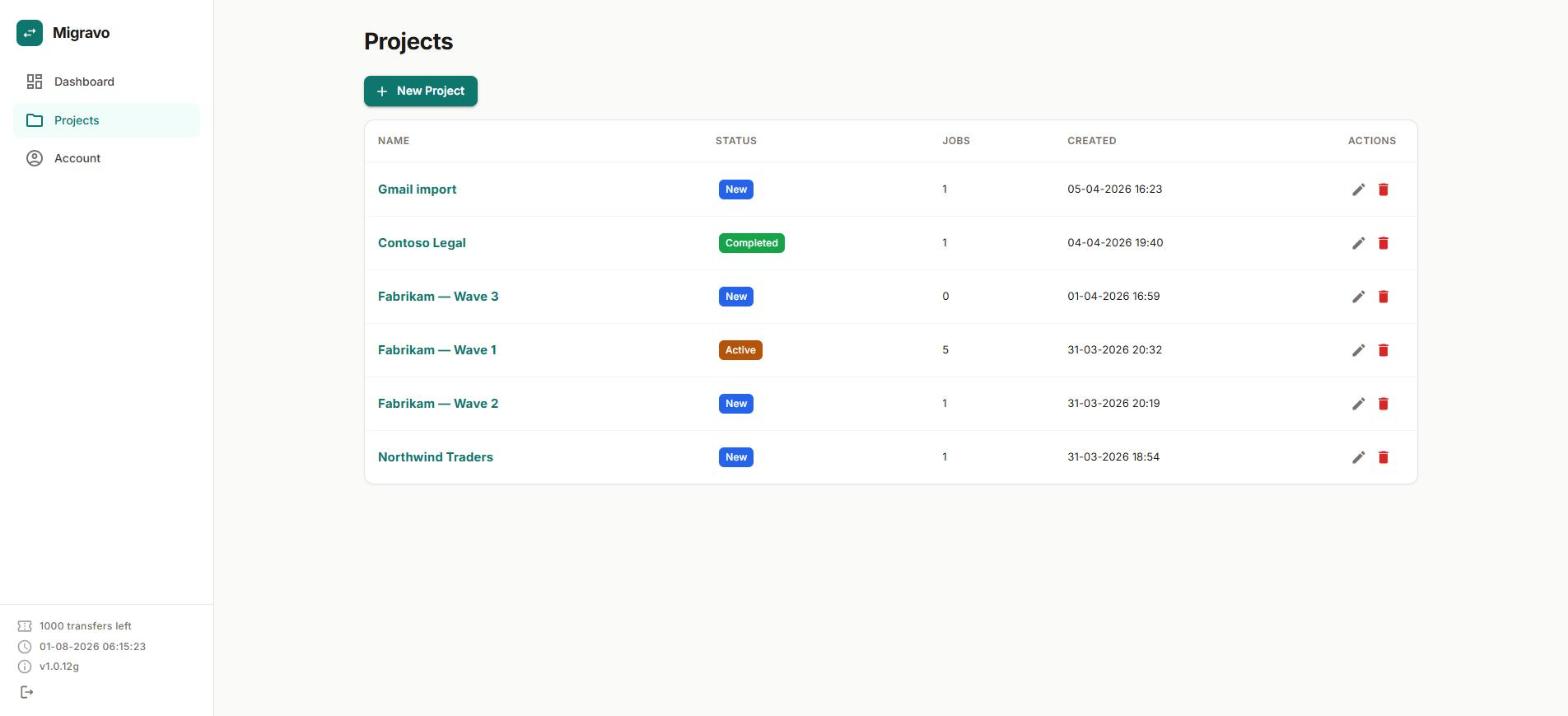
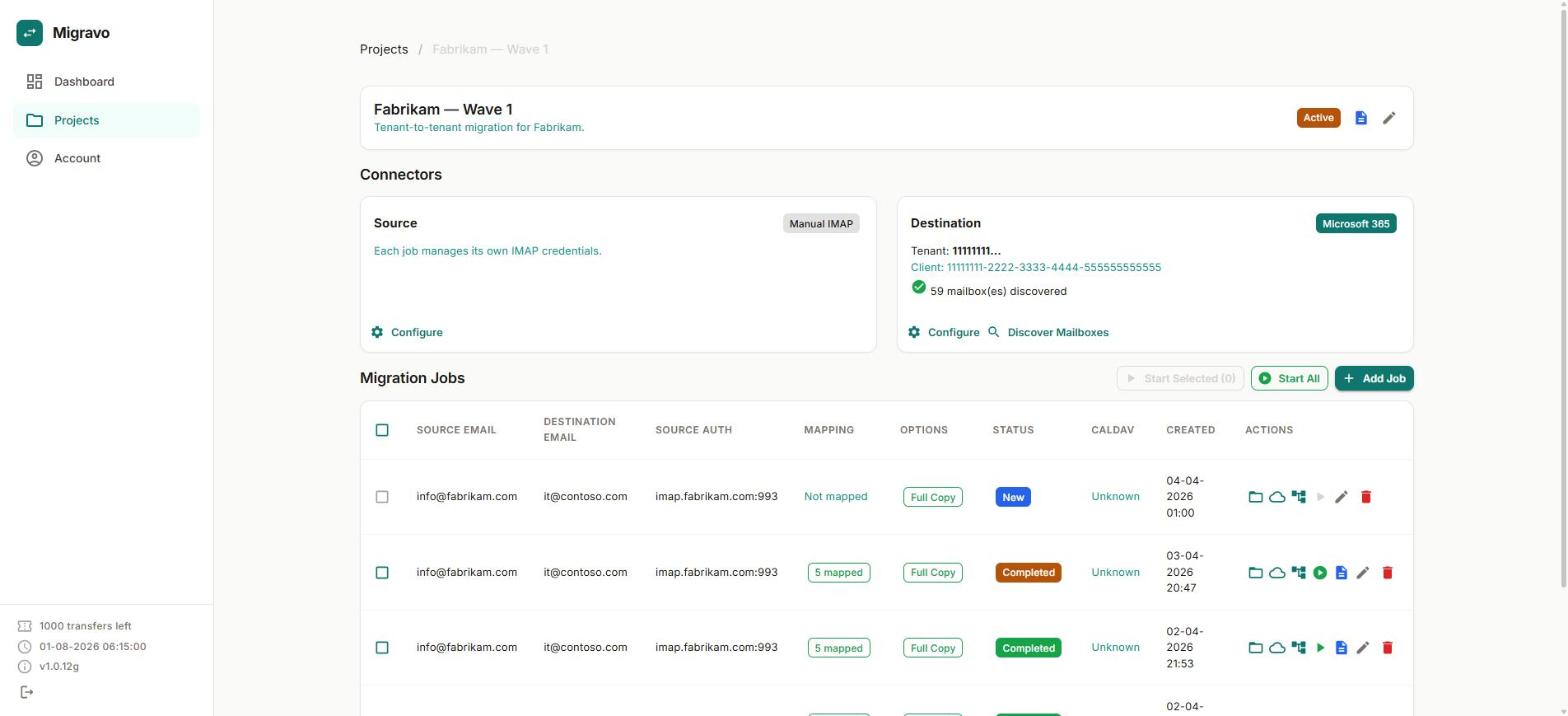
Messages keep their original sent and received dates, read state and folder structure. Calendars move with recurring events, attendees, reminders and attachments — no extra licence for "advanced" data.
Messages up to roughly 150 MB migrate through upload sessions instead of being skipped. There is no cap on mailbox size for paid transfers.
Multiple mailboxes migrate in parallel with a queue that respects Microsoft's rate limits, so a big batch finishes instead of being throttled into failure.
Mail is streamed from source to destination and never stored on our servers. Credentials are encrypted, and every customer is isolated in their own tenant.
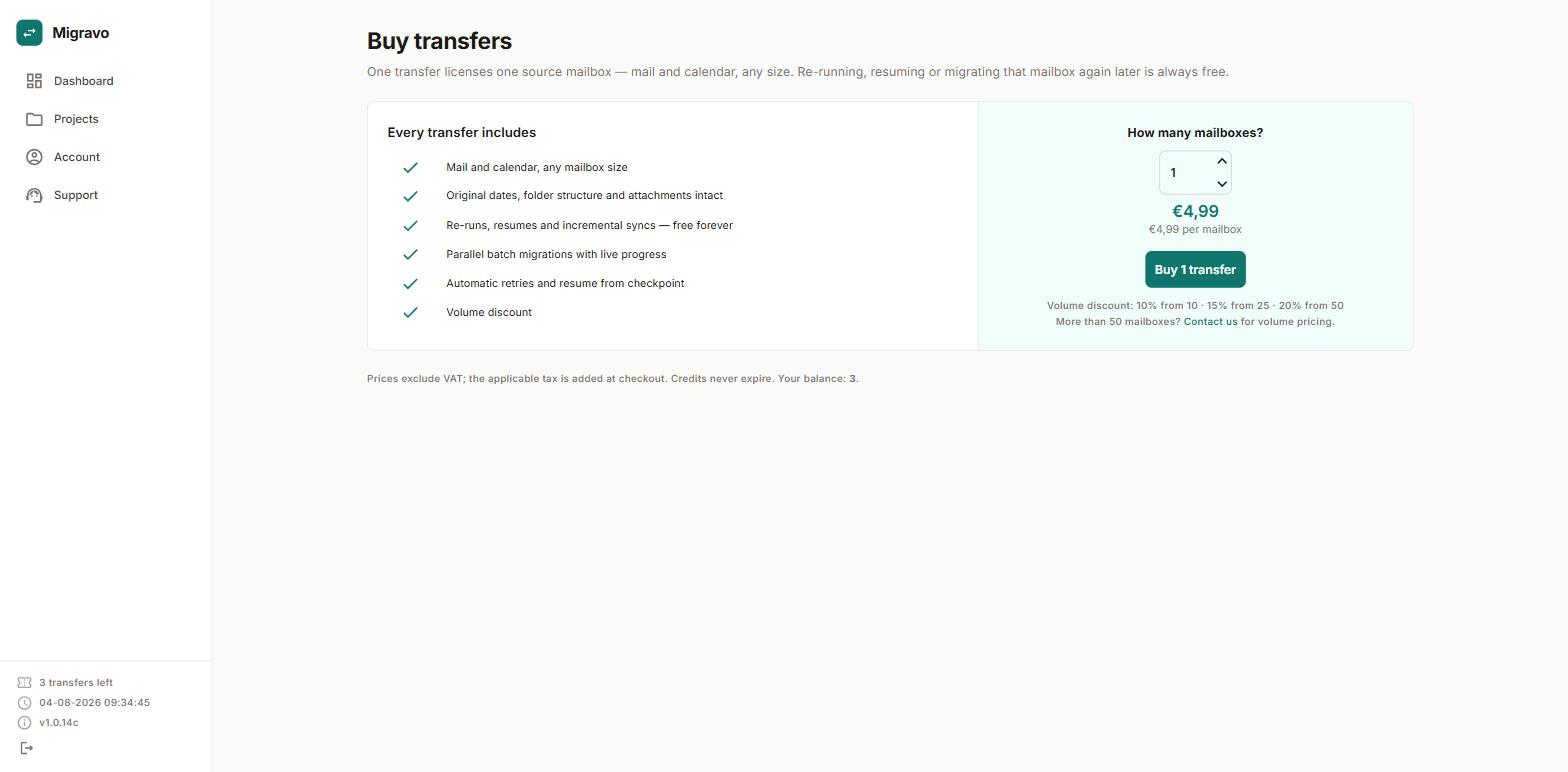
One transfer licenses one source mailbox — mail and calendar included, any size. Re-running, resuming or migrating that same mailbox later is always free.
€4.99
€4.99 per mailbox
Contact us
Volume pricing for more than 50 mailboxes
Volume discount: 10% from 10 · 15% from 25 · 20% from 50
Prices exclude VAT; the applicable tax is added at checkout. Free transfers cover mailboxes up to 10,000 messages and 10 GB.
One source mailbox. The credit is used when a migration for that mailbox first starts, and it stays tied to that address: retries, resumes, incremental runs and later re-migrations of the same mailbox cost nothing extra.
In the app itself. Sign in at migravo.app and click your transfer balance in the bottom-left corner of the sidebar — it takes you straight to the Buy transfers page. Every new account starts with three free transfers, so you can try a complete migration before paying anything.
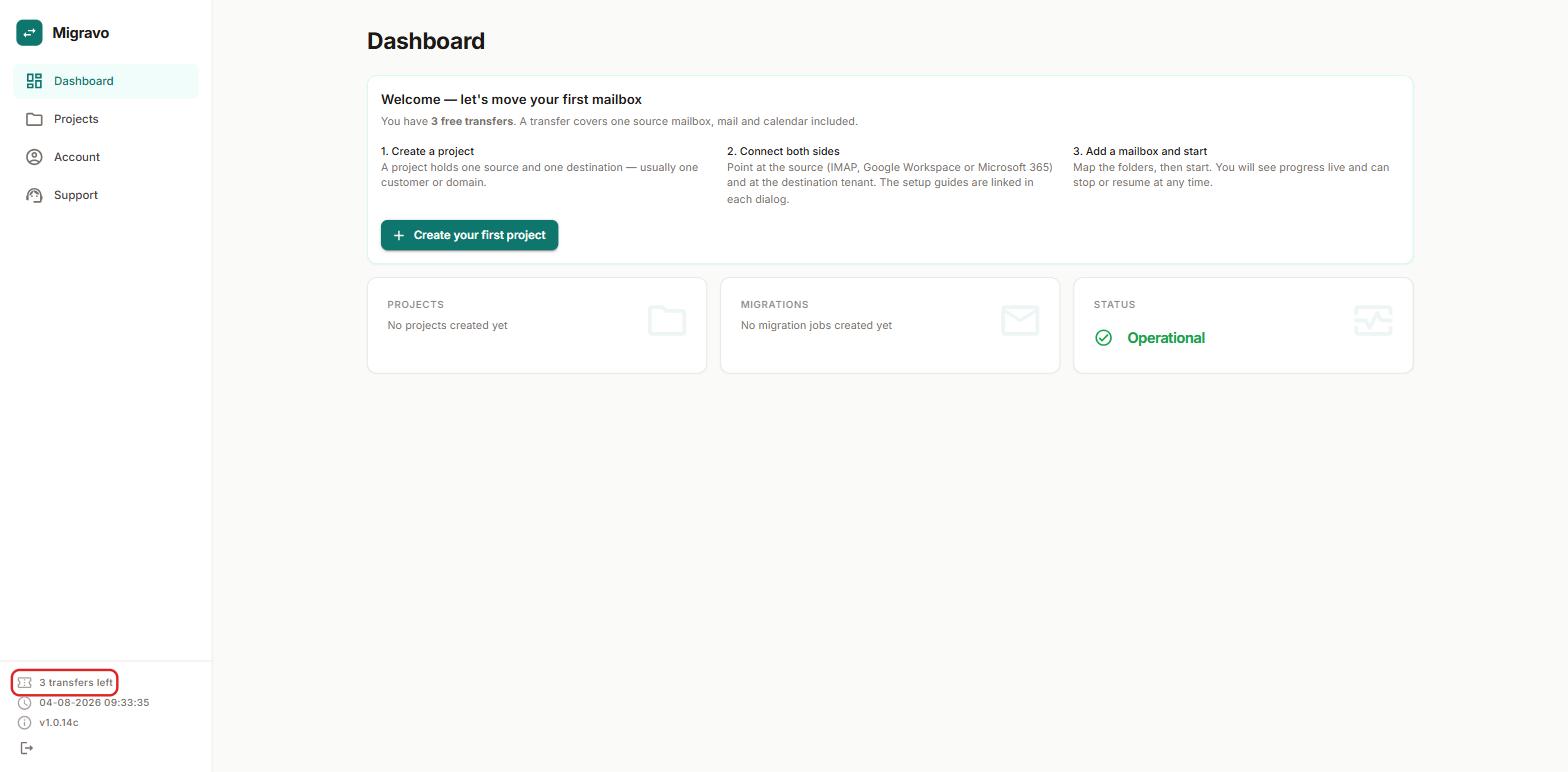
Choose how many mailboxes you need and pay online. Volume discounts are applied automatically, and the transfers are added to your balance as soon as the payment is confirmed.
Any IMAP server (Gmail, Outlook.com, Yahoo, hosting providers, self-hosted), Google Workspace with a service account, and Microsoft 365 tenant-to-tenant via Microsoft Graph. The destination is always Microsoft 365.
No. Messages are streamed from the source straight to the destination. What we do keep is migration metadata — subjects and folder names in the logs, so you can see what happened — and your connector credentials, encrypted.
Microsoft's API limits set the pace, not our software. As a rule of thumb, expect a few thousand messages per hour per mailbox, with several mailboxes running in parallel. The app shows live progress and an estimate.
For larger projects, Microsoft can temporarily lift its EWS throttling for your tenant: run the "EWS Throttling" diagnostic in the Microsoft 365 admin center via aka.ms/PillarEWSThrottling and the limits are relaxed for 30 to 90 days.
Microsoft re-sends invitations when an event with attendees is created, and that cannot be switched off through their API. Migravo can spare appointments that have already passed by moving the attendee list into the event body, so nobody is emailed about a meeting from last year.